Model Context Protocol for Browsers
Turn your website into an MCP server
with MCP-B
Register tools with navigator.modelContext, reuse the user's existing session, and let the MCP-B Chrome extension expose everything to Claude, Cursor, or any assistant that speaks MCP—no new backend, no brittle UI automation.
Open Source • navigator.modelContext polyfill • Extension + Tab transports
MCP-B Quick Start
Expose MCP tools straight from the browser
Drop in @mcp-b/global, register typed tools, and let the MCP-B extension advertise them to every MCP-compatible assistant—no new servers or auth flows.
Polyfill webMCP
1<script src="https://unpkg.com/@mcp-b/global@latest/dist/index.iife.js"></script>
2
3<script>
4  // navigator.modelContext is now available
5  navigator.modelContext.registerTool({...});
6</script>
Declare Your Tools
1navigator.modelContext.registerTool({
2  name: "getPageInfo",
3  description: "Gets information about the current page",
4  inputSchema: {
5    type: "object",
6    properties: {
7      infoType: {
8        type: "string",
9        enum: ["title", "url", "headings"]
10      }
11    },
12    required: ["infoType"]
13  },
14  async execute({ infoType }) {
15    if (infoType === "title") {
16      return { content: [{ type: "text", text: document.title }] };
17    }
18    // ... other cases
19  }
20});
Framework Agnostic
Vanilla JS, React, server-rendered apps—if it runs in a tab, it can expose MCP tools to any assistant.
Assistant-ready schemas
Define inputs with JSON Schema or zod so LLMs know exactly how to call your tool—no prompt engineering required.
Framework Agnostic • Just JavaScript • Works with Legacy & Modern Apps


How MCP-B Works
Ship an MCP server in three steps
Register tools with navigator.modelContext, let the MCP-B extension discover them, and have assistants call everything through the user's existing browser session. No extra infrastructure required.
Add ~50 lines of code to register functions with schemas. Your website becomes an MCP server that AI agents can discover and use.
Extension Router
E-commerce
Documentation
Analytics
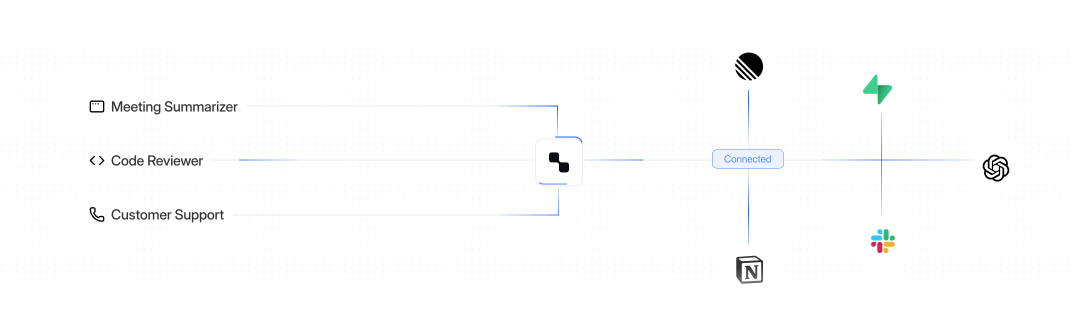
The MCP-B browser extension injects an MCP client into your page, automatically discovering and registering your tools.
Agents call your tools directly through the extension using your existing browser session. No API keys, no OAuth, instant execution.
Why MCP-B
Everything you need to run MCP in the browser
MCP-B packages the transports, SDKs, and specification work required to expose real product workflows to assistants—using the browser session you already trust.
Extension + Tab transports
Bridge Claude Desktop, Cursor, or any MCP client directly to the code already running in your tab. No localhost tunnels or custom daemons.
12 tools
Interfaces built for LLMs
Document schemas, tool hints, and UI state so assistants know what can be executed—no brittle scraping or heuristics.
navigator.modelContext + SDKs
Polyfills for navigator.modelContext, React hooks, and helpers for exposing tools/resources directly from your existing UI components.
User-scoped security
Tools execute inside the signed-in tab, inheriting cookies, CSRF protections, and audit trails your team already enforces.
One protocol, many assistants
Any MCP client can connect through the extension, so you integrate once and reach every assistant that speaks MCP.
Ecosystem partnerships
Built alongside browser vendors, enterprise pilots, and the MCP spec community to stay aligned with emerging standards.
Where MCP-B Fits
Let assistants work inside your existing products
When your UI is the MCP server, assistants can drive the same flows your team already trusts—using production permissions, not brittle RPA.
Customer portals
Agents can check orders, issue refunds, and send updates from the exact flows your customers already use.
Operations hubs
Expose triage, approvals, and fulfillment steps so assistants can move work forward inside your internal tools.
Analytics & BI
Let LLMs query dashboards, export CSVs, or annotate charts without building a separate API surface.
Support workbenches
Assistants create tickets, escalate cases, or summarize threads directly inside Zendesk-style consoles.
Data operations
Automate queries, transformations, and exports across your internal data consoles with full provenance.
Supply chain & field
Track shipments, manage inventory, or kick off field workflows using the authenticated browser session.
Why MCP-B
Benefits of a browser-native MCP runtime
MCP-B lets you turn production web apps into assistant-ready surfaces without inventing new infrastructure, auth, or governance.
Browser-native MCP server
Expose tools and resources directly from your product with ~50 lines of JavaScript via navigator.modelContext.
Millisecond execution
Assistants call the same APIs your UI already uses—no screen scraping, no multi-step prompt orchestration.
Use existing auth
Sessions, MFA, and CSRF tokens are inherited from the browser, so you never ship new OAuth flows or API keys.
Dashboard
Assistant interoperability
Integrate once and every MCP-compatible assistant (Claude, Cursor, Continue, etc.) can use your tools through the extension.
Typed schemas & resources
Define JSON Schema or zod inputs, stream resources, and document expectations so LLMs call the right thing the first time.
Reuse existing UI logic
Wrap the fetches, validations, and business rules you already have instead of rebuilding them in a bot backend.
Built on Browser Security
Security that inherits from the browser
MCP-B runs alongside your production UI, so every tool call is protected by the same cookies, MFA, and sandbox rules as the tab itself. Nothing new to harden, no tokens leave the user's machine.
Get StartedSame-Origin Policy
Assistants only touch what your domain already exposes.
User Consent
Extensions must be approved before any tool calls occur.
Transparent Audit
Every tool execution is logged and attributable per user.
FAQs
Frequently Asked Questions
Find all your doubts and questions in one place. Still couldn't find what you're looking for?
Give your website an MCP interface
Install the Chrome extension to test locally, or jump into the demo app to watch assistants call tools through MCP-B.